 Skip to content
AI Money: a budget app without linking your bank account
No bank login, no aggregator, and your ledger stays on your phone. Cash counts too.
AI Money is a free budget app that works without linking your bank account: it never asks for online banking credentials, does not use Plaid or any account aggregator, and keeps your transaction ledger in a local database on your phone by default. Expenses get in because you type them, dictate them, photograph the receipt or send a WhatsApp message, so cash gets recorded too and it works with any bank in any country. Cloud backup and sync exist, but as a switch you turn on yourself, and you can use the app without even creating an account. The trade-off is honest: a few features send a message or a photo to an AI service to read it, and this page lists exactly which ones.
Does AI Money need access to my bank account?
No. There is no “connect your bank” screen, because the app was never built around one. Most budgeting apps in the United States, YNAB, Monarch, Copilot and Rocket Money among them, pull transactions through an aggregator that signs in to your bank on your behalf. That is convenient, and it is also the reason they cannot see cash, break when the bank changes its login page, and only work with the institutions on their supported list.
AI Money takes the other road. A movement exists because you recorded it, and there are several ways to do that without typing much.
| How you log it | What you do | Bank access needed |
|---|---|---|
| By hand | Type amount and pick a category | None |
| By voice | Dictate “lunch 12 bucks” inside the app | None |
| Receipt photo | Point the camera at the ticket; the scanner reads total, merchant and date | None |
| Send a text, a voice note or a photo to the bot | None | |
| Bank alert SMS (Android, optional) | Nothing: the app reads the alert your bank already sends | None, and it is off until you turn it on |
| Apple Pay via Shortcut (iPhone, optional) | Nothing, after a one-time setup | None |
The last two are the closest thing to automatic import, and they still do not touch your bank: they read a notification that was already on your phone.
Where is my financial data stored?
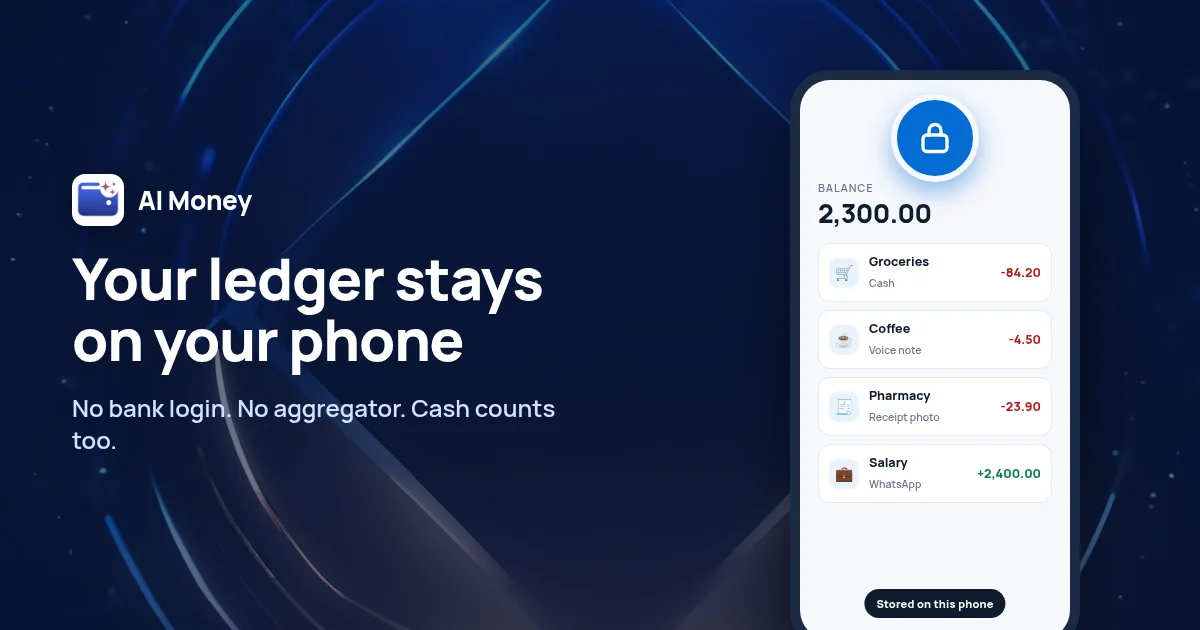
On your phone, in a local SQLite database. Your transactions, debts, budgets and savings pockets live there, and by default they are not copied to any server. That has three practical consequences.
- It works offline. Logging, budgets and reports do not need a connection. A flight, a basement gym or a country with bad data does not stop you from recording a coffee.
- You can use it without an account. Open the app, skip sign-in, and start logging. An account only becomes necessary for WhatsApp, cloud backup or restoring a purchase.
- Your data leaves when you say so. A backup file you export yourself, a copy in iCloud on Apple devices, or AI Money Cloud, which is part of Pro and is a switch in Settings that mirrors your ledger across your devices. If you never flip it, nothing is uploaded.
What does leave the phone, and why?
“Private” should not mean “vague”, so here is the list. Every item is something you either trigger yourself or can switch off.
| What | When | Why |
|---|---|---|
| A message, voice note or receipt photo | Only when you use voice, the scanner or WhatsApp | An AI model reads it to extract amount, merchant and date. The structured movement is saved; the original message is not stored |
| Your name and the transactions in the date range you selected | Only when you ask Denis, the assistant, a question | It cannot answer “where did the month go” without seeing that month |
| The text of a bank SMS or payment notification | Only if you turned on automatic capture on Android or the Apple Pay Shortcut | Same extraction; only the resulting movement is kept |
| Email and phone number | Only if you create an account or link WhatsApp | To route the bot’s messages to your ledger and to restore purchases |
| Usage statistics and an advertising identifier | On the free plan, which shows ads | To keep the free plan free. Usage statistics have their own switch in Settings, and Pro removes the ads |
What is never on that list: your online banking username or password, your full card number, or a live feed of your account. The AI provider is named in the privacy policy, and the policy also spells out that the app is a ledger, not a wallet: it never moves money.
How does it compare with other budget apps that do not link a bank?
There are two families, and AI Money sits between them.
| Bank-linked apps | Manual-only private apps | AI Money | |
|---|---|---|---|
| Bank credentials | Required, through an aggregator | Never | Never |
| Cash spending | Invisible unless typed | Typed by hand | Typed, dictated, photographed or sent on WhatsApp |
| Effort per entry | Low, once linked | High: everything by hand | Low: voice, photo or message, plus optional SMS capture on Android |
| Works in any country | Only with supported banks | Yes | Yes, any bank, any currency |
| Where the ledger lives | On their servers | Usually on the device | On the device; cloud sync is opt-in |
| Free plan | Rarely, or trial only | Often limited, such as a cap on envelopes | Unlimited transactions, categories and budgets, no time limit |
If you left Mint and do not want to hand a new company your bank login, the manual-only apps solve the privacy problem but bring back the typing that made people give up on budgeting in the first place. The point of AI Money is to keep the privacy and lose the typing.
Is it really free without connecting a bank?
Yes, and the free plan does not expire. Unlimited manual transactions, categories and budgets, dictation, 2 receipt scans a month in the app, 2 WhatsApp entries a day, reports, and export to Excel, CSV and PDF, with no card required. AI Money Pro removes the scan and WhatsApp caps, removes the ads, and adds cloud sync and automatic capture from bank SMS on Android and Apple Pay on iPhone. It runs on iPhone, iPad, Mac with Apple silicon and Android.
How do I delete my data?
Two ways, depending on how far you want to go. “Start from zero” in Settings wipes the ledger on the device and keeps your account. “Delete my account” removes the account and everything stored in the cloud for it, including the phone number linked to WhatsApp, and then clears the local database. Both are inside the app, without writing to support. Before either, you can export a full backup file and keep it wherever you like.
Frequently asked questions about AI Money and bank access
No. There is no bank connection screen and the app never asks for online banking credentials. Expenses are recorded because you type, dictate, photograph or send them, and on Android, optionally, because the app reads the alert SMS your bank already sends to your phone.
No. AI Money does not use Plaid, Finicity, MX or any account aggregation provider, and it has no list of supported banks. Because nothing signs in to your bank, it works with any bank in any country and records cash as easily as card spending.
In a local SQLite database on your device. By default they are not copied to any server. Cloud backup and multi-device sync are a switch in Settings that belongs to Pro; if you never turn it on, your ledger stays on the phone. You can also export a backup file yourself or keep a copy in iCloud on Apple devices.
Only what a feature you use needs: the content of a message, voice note or receipt photo so an AI model can extract the transaction, the transactions in the date range you select when you ask the assistant a question, and the text of a bank SMS or payment notification if you turned on automatic capture. The original messages are not stored, only the resulting movement. Your email and phone number are stored if you create an account or link WhatsApp. The free plan shows ads and collects usage statistics, which you can switch off.
Yes. Skip sign-in and start logging; the ledger, categories, budgets and reports all work in guest mode and offline. An account is only needed to link WhatsApp, to turn on cloud backup or to restore a Pro purchase on another device.
From Settings, without contacting support. Start from zero wipes the ledger on the device and keeps the account. Delete my account removes the account and everything stored in the cloud for it, including the phone number linked to WhatsApp, and then clears the local database. You can export a full backup file first.
Keep reading
- Every AI Money feature, explained
- Free alternative to YNAB: budget without paying $109 a year
- Best budgeting apps of 2026, and which ones need your bank
- Track expenses on WhatsApp, step by step
- AI Money privacy policy
- Consumer Financial Protection Bureau, consumer tools
 AI Money
AI expense tracking
AI Money
AI expense tracking
Start free, in under a minute
- Free forever
- No card
- Your data stays on your device

